
How do you keep everyone in the loop and up to date? Whether you’re planning a specific project or enhancing your operational team, communication is crucial for success. For fundraising, advocacy, or other public-facing initiatives, a united master plan can show your internal communications on the same calendar as your constituent outreach. A clear and up-to-date plan will help your whole team see what’s happening and avoid inbox pileups.
In this post you’ll find tools and techniques for creating a well-calibrated communication plan and using it effectively. I’ve created templates and exercises you can use yourself or with your team to develop a great communications plan for your next project, big or small.
Communication for Projects vs Operations
Project = a temporary endeavor undertaken to create a unique result
Operations = work that repeats or continues indefinitely
I’m presenting this from a project management point of view but I believe the same tools and thought processes can work for communication around operational work, not just formally defined projects. The main difference is that for a project you’re limited by time or scope, so you can create at least a first iteration of a communication plan that covers the length of the project up front. For non-project work, you can give yourself a comparable framework by chunking it up chronologically. Make a plan for the coming month, season, or year, with a task on your calendar toward the end of that time to revisit it and update as needed.
Let’s look at a hypothetical project for a community nonprofit and make an effective communication plan to support it:
Our org will run a campaign in support of our free family concert series, “Tuesdays in the Park.” This series is something we’ve never done before, and while we have local businesses supporting us with in-kind donations and a few major gifts donors, we also need $10,000 from our supporters. The fundraiser will kick off April 21 and run through the start of the concert series on June 21. The development department is leading this project, with close cooperation from the comms and program teams.
So, this is a pretty good definition of a project. We can see what is being created (funding for a concert series), who is doing the work (the development department), how long we expect it to take (two months), and what will happen when it’s completed (the series will kick off with costs covered). Whether it’s actually a well-conceived project or a worthwhile thing to take on is a whole other blog post, but it’s a decent example for this purpose.
People

First up when planning your project and any communications related to it? People. Projects involve people, and create things that will touch people’s lives. The project management jargon here is stakeholders, meaning people who can affect the outcome of the project or who may be affected by it.
When you embark on a project, take some time to consider who beyond yourself is involved. Who do you need to work with to accomplish your goals? Who will evaluate the results? Who might use or encounter what you’ve created?
Some ideas of stakeholders that you’ll need to keep in mind when communicating about our “Tuesdays in the Park” fundraiser project will be:
- Project team: development and communications staff
- Advisors: program staff, concert series director, volunteer managers
- Sponsor: the org’s executive director
- People to keep informed: staff in other departments of the organization, the board of directors
- Audience: local supporters of the org, local and regional music fans
- Publicity partners: radio stations, press, other community orgs doing cross-promotion
Some of these are individuals with their own unique concerns and parts to play, and some are categories of people that you’ll consider and communicate with as groups. Here’s a template for a stakeholder register that will help you understand and track your communications with the people who will be crucial for your project:

Give each person or group their own row in the stakeholder register, and fill out as much detail as you have for things like job title, notes about their communication style preferences and anything else that you and your team need to keep in mind.
Feel free to copy the spreadsheet and customize it for your own work. You can add a lot more detail, including department or institutional affiliation, contact information, ranking by interest and influence, and other things if that’s useful to you. The great thing about keeping this in a spreadsheet rather than a text document or scrawled on the whiteboard is that you can sort and filter your stakeholders by type, department, and other categories which really comes in handy for a lot of things.
This will be a super-important resource for you as you go through your project, and it will need to be updated as people join and leave your team, and when you uncover new groups of users or contributors.
What To Say

Starting when you’re kicking off your project, keep track of all the things your team will need to communicate, and what methods you plan to use. For “Tuesdays in the Park” this might look like:
- Project team meetings and Slack channel
- Weekly reports to the executive director
- Broad and targeted fundraising emails to existing supporters
- Press releases and advertising
- Peer-to-peer fundraiser for highly engaged families with support plan
- Monthly updates to staff
- Final report to executive director and board of directors
Some of these communications are internal to your org and part of the project process, and others are outward-facing to your public audience and are created by the project. Your project team should work closely with the marketing & communications team to understand the full range of communications you will be putting out.
In a lot of cases, you’ll be sharing the same content in a variety of forms for different groups of people. Sometimes that means sending several reports or emails with different text calibrated to be relevant to groups of people with different perspectives. For “Tuesdays in the Park” you’ll be distributing the concert schedule and artist lineups to your org’s staff, donors, and prospective attendees, each group getting fundamentally the same information but with different language and delivery.
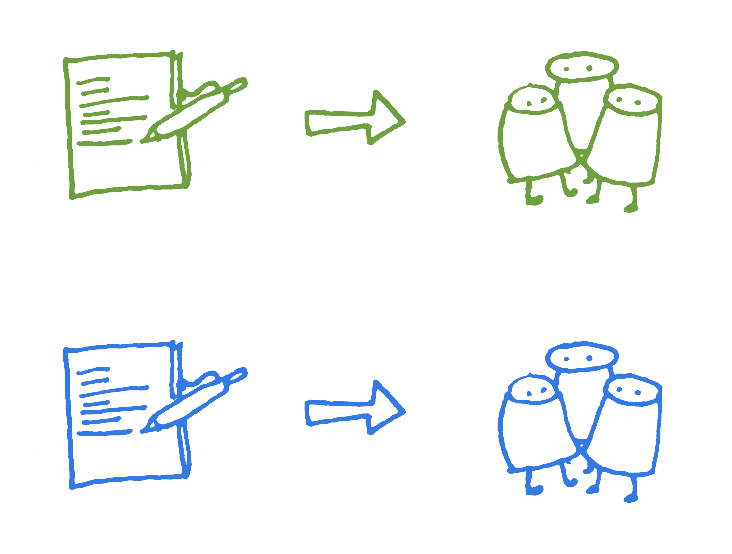
Another way to target communication is repeatedly sharing the same information with a group of people multiple times using different formats. This helps reinforce your message, gives a second or third chance for people to consider it, and supports a variety of access and information processing needs. Multiple channels and techniques add up to better overall communication. This is a classic strategy for fundraising, as you may send your message to donors by email, postcards, phone calls, and advertisements, each targeted repetition taking hold with a percentage of the group.

Make A Plan
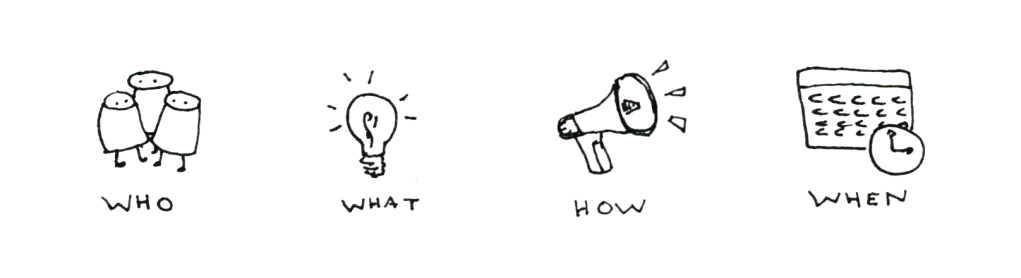
A communication plan is made up of many different pieces. For each piece, you should know WHO is sending and receiving the message, WHAT needs to be said and understood, HOW the message is being communicated, and WHEN the communication is going to take place.
In the same file with the stakeholder register, I have a template for a simple communication plan. You can tweak it and add nuance as relevant for you.

For each piece of communication you’ve listed, add some detail:
- Format means the medium of communication – is it an email, a presentation, a meeting, a 1:1 conversation, a press release?
- Audience comes from your stakeholder register, and if you find yourself putting out comms to people or groups not on that spreadsheet, loop back and add them.
- Date or frequency is obvious, BUT sometimes you won’t know a date because it’s “after XYZ milestone” – note that, and maybe estimate the earliest you think it might happen
- Content is what you’re communicating about
- Process is who on your team is doing the communication, any special tools or channels you’re using. Just a hint here.
When you need to double up communication to target it, you can make each version a separate row, or add additional detail to one row – this will vary depending on your project and how many moving parts you have.
Does this process give you ideas for additional types of communication you want to put out? How about times when you will need two way communication? Pay special attention when you’re planning a task that will involve other people beyond your project team. You will need to work with their calendars, and give yourself extra days (or weeks) of lead time to account for them.
Put Your Plan Into Action
Having a communication plan does you no good at all if you just set it up and forget about it. So once the plan is sketched out, break it down into discrete tasks with deadlines and assign them to specific people on your team.
The third tab in the template has an example of how I’d break down a report, a team meeting, and a press release into tasks.

Tools For Planning
For a formal written report there might be a first draft, a set of reviews, edits, and approvals, then it’s distributed. So a minimum of four separate steps, each one with its own deadlines, person responsible, and dependencies. A simpler weekly update could just have “write” and “distribute” as tasks for the project manager.
For a meeting, there’s scheduling and inviting attendees, setting and sharing the agenda, then facilitating the meeting, and taking notes then sharing them. Depending on how you split that work, it might be 2 to 5 distinct tasks each time the meeting comes around. You can be more or less formal about this, but having a clear idea of who is doing what for a meeting makes things work so much easier!
For a set of fundraising communications sent repeatedly to the same audience, build in steps for re-targeting the audience between each subsequent message to remove people who’ve already responded (and thank them again of course!)
Tools for Planning
I gave you a spreadsheet template, but I don’t necessarily recommend storing your task information like that if you’re not already a big spreadsheet fan. You can put your tasks in Trello, Smartsheet, your Google Calendar or whatever to-do list tool you like. I use Asana as the task management tool for my projects, and I love how it shows me my projects and tasks as a list, a calendar, and various other views.
Conclusion

To recap, a good communication plan takes into account the people you need to include, what you need to say and how you’ll say it, an organized plan that pulls it all together. Once you have that plan, you need a way to put that plan into action and revise it over time. Finally, Having a project plan does you no good at all if you just set it up and forget about it. However you track your tasks, make sure to take time every week or two to revisit the overall plan. You may need to add more tasks, switch around your timeline, or even eliminate tasks that you find you can do without. So grab the template and get started on your communication plan!
 Adrienne Figus, PMP
Leave a comment